Tag AI
Building a 15-Year CrossFit Open Database with Claude (And Auditing the Results)
I handed Claude a vague goal — build a queryable database of every CrossFit Open workout from 2011 to 2026 — and watched what it did. How it stored data, where it sourced the gaps, and whether I could trust the result.
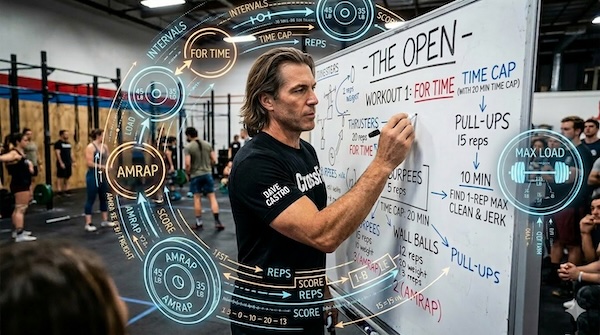 The 2026 Open just wrapped. And now that the gym is back to normal, I find myself doing what I always do: overthinking the Open workouts. Which movements keep showing up? Are AMRAPs actually more common than For Time workouts, or does it just feel that way? And is the rig ladder format — the one that ends every Open with a pull-up-to-C2B-to-muscle-up escalation — a recent programming method?
A Manager's Guide to Working with Claude
Engineering management on autopilot: Claude automates team summaries, release plans, and engineering metrics—surfacing risks and bottlenecks before I start my day.
 I start most mornings with my coffee and two (sometimes three) automated summaries waiting in Slack. One tells me what my team did yesterday—tickets moved, PRs opened, potential bottlenecks. The second checks upcoming releases and cross-examines those with our JIRA board, flagging changes stuck in QA or review. The third is a recap of my team’s weekly performance in terms of velocity and defects. By the time I’m at my desk, I have a good idea of where to put my focus and what to follow up on. These automations let me spend more time diving into PRs and resolving risks and less time pulling data to understand where the risks might be.
How Claude AI Became My JIRA Assistant
My experience using Claude as my JIRA assistant and how he has improved the quality of our user stories and bug tasks.
I recently anointed Claude as my new JIRA assistant. As I am also a manager he is by extension my team’s JIRA assistant. I’ve learned that he is a pretty damn good one at that. This blog post is to highlight how I’ve been using Claude as my JIRA assistant, how I’ve incorporated him into my processes, and how I’d like to use him in the future.
First some context with one of my team’s struggles: user stories and acceptance criteria. This has been a persistent challenge for my team. Our stories rarely follow any set of principles to emphasize quality such as INVEST. Instead they are pithy two sentence descriptions that assume a deep knowledge of the products, underlying software, and existing architectural definciencies. In an effort to increase story quality I’ve employed Claude as my JIRA assistant. So far he’s kept me honest when creating tasks and I’m hoping he also keeps my team honest in the future. Here are some lessons I’ve learned so far.
A promenade with Q. Building a social share toolbar.
Explorations in Prompt Engineering and Artificial Intelligence. This post is attempt number 2 asking Q to add a social share toolbar to my blog and evaluate its decisions.
 This post is part 2 of using AI to add a social media share toolbar to each post in this blog. My first attempt getting Q to build a social share toolbar was successful, but an architectural disaster. Instead of being specific about what I wanted, Q was given a long leash. Free to roam and intepret as it pleased, leading to less than ideal decisions. This time I walk Q hand-in-hand through the flowery meads to our final destination. I also arrive at an unexpectedly optimistic conclusion about Q and its potential.
A dialogue with Q. Build a social share toolbar.
Explorations in Prompt Engineering and Artificial Intelligence. In this post I ask Q to add a social share toolbar to my blog and evaluate its decisions.
 I’ve been using Q at work for non-programming related purposes with mixed success. Primarily I’ve treated Q as 1) a rubber duck 2) an internal search replacement and 3) document summary and content evaluator. I figured it was about time I evaluate it on its coding merits, so I’ve asked it to add a social media share toolbar to each blog post.
First the prompt:
Create a “share this post” toolbar that displays on top of each page that allows the visitor to share a post to facebook, X, reddit, and linkedIn. The share this post toolbar should be displayed in a horizontal toolbar above the post image.